Getting Started with FlashOrder
FlashOrder acts as a bridge between TradingView alerts and your MetaTrader 5 terminal. It uses a local Python server to receive webhooks and the MT5 to execute trades instantly.
Prerequisites
- Windows 10/11 or Windows Server (VPS recommended)
- MetaTrader 5 Terminal installed and logged in
- TradingView Essential, Plus, or Premium account (for Webhooks)
Installation
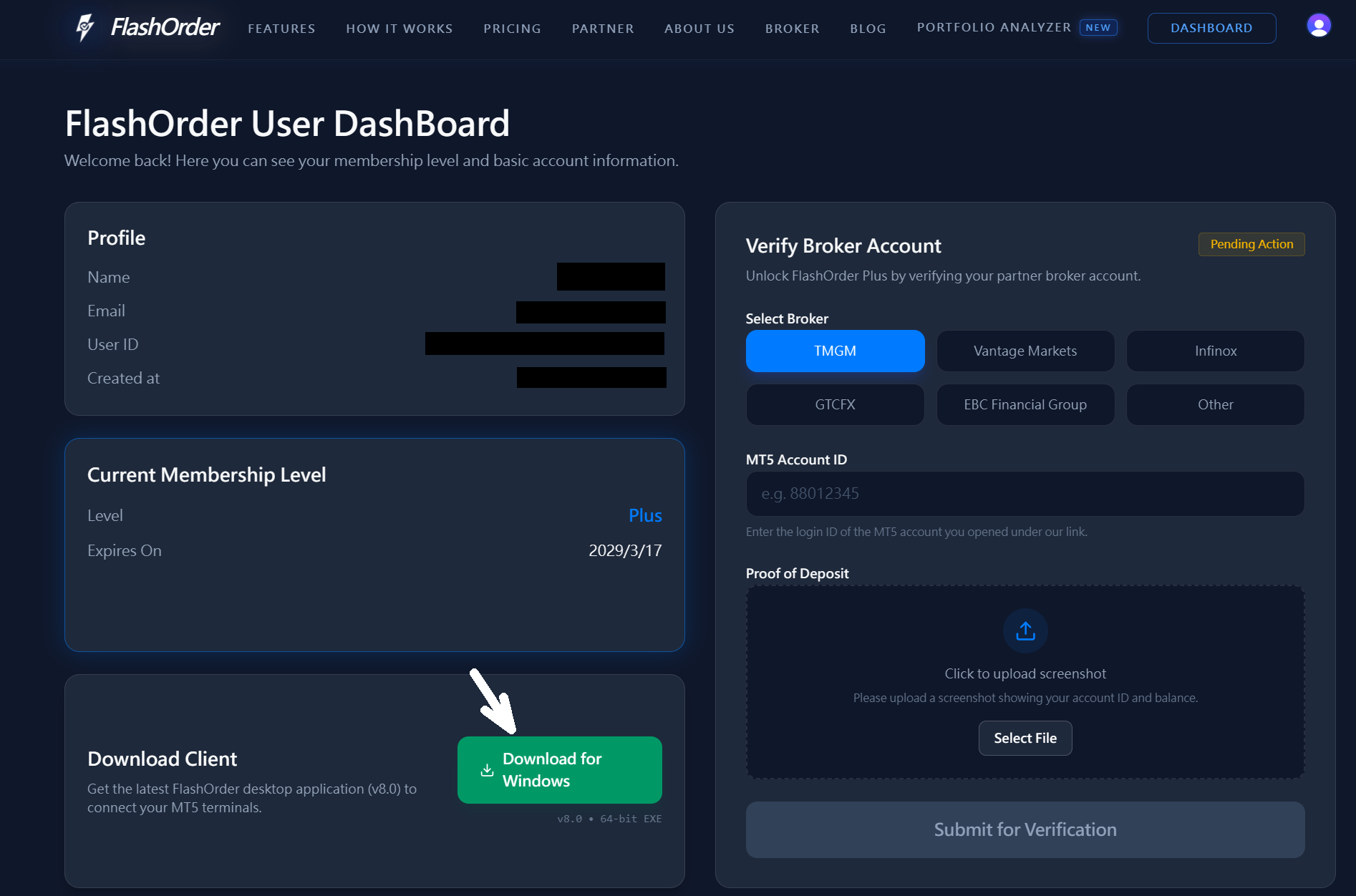
1. Go to Member DashBoard Download FlashOrder.exe
Log in to your account and download the latest version of FlashOrder.exe from the member dashboard.
2. Open FlashOrder.exe
Run the downloaded executable file as administrator to start the installation process.
3. Open FlashOrder.html
The application interface will open in your default browser automatically.
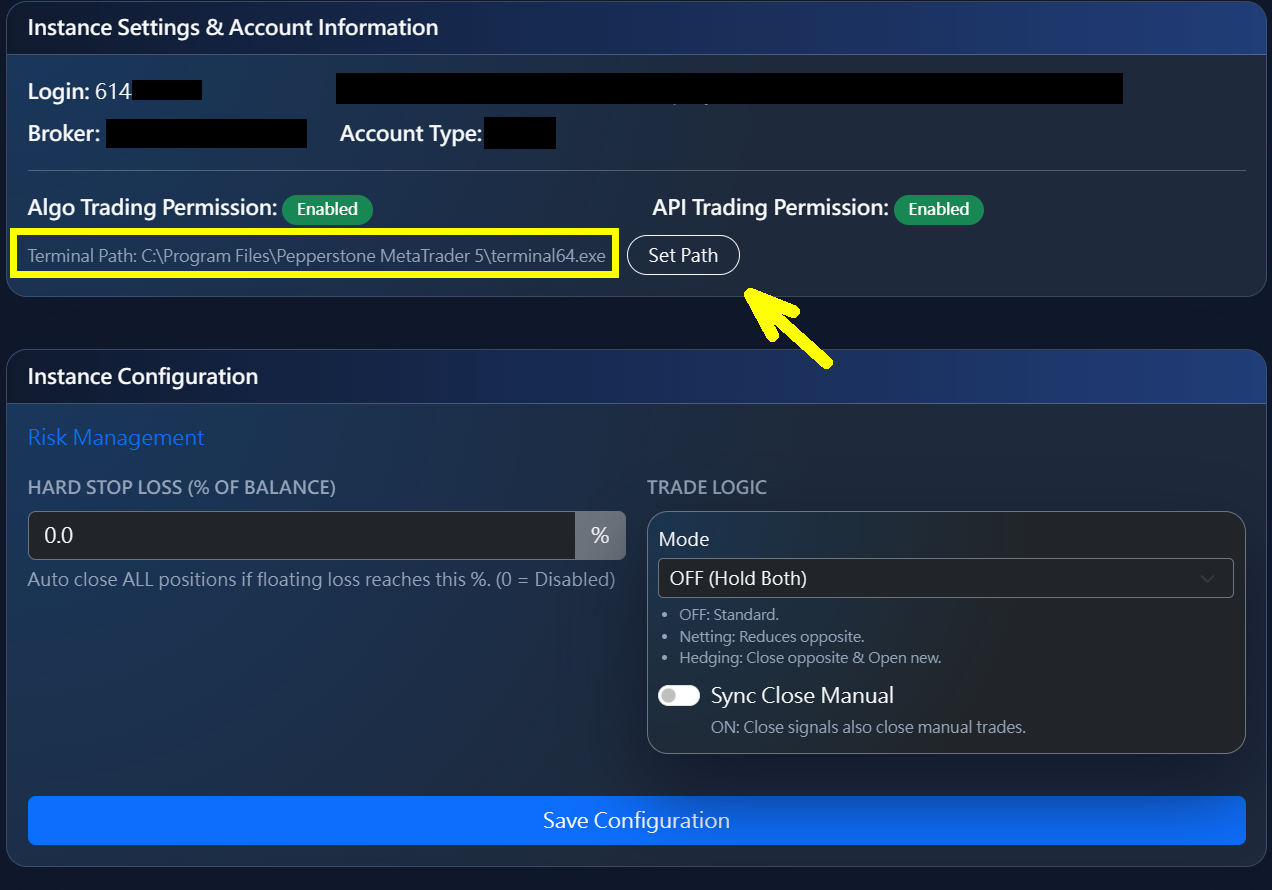
4. Set the MT5 Terminal path
In the settings, locate your MetaTrader 5 terminal executable (terminal64.exe) path and configure it.
5. Finish installation
Complete the setup wizard and you are ready to start bridging your trades.